
Desk Ergonomics for Neck Pain: Setup, Habits and When to Get Help
If your neck aches by mid-afternoon, the fix usually starts with three things: a monitor whose top edge sits at or just below eye level, a chair and keyboard height that let your shoulders drop, and a reason to stand up every 20 to 60 minutes. Those changes take about five minutes to make. They will not cure every case, though, and this guide also explains how to tell when your neck needs more than a better desk.
TL;DR
- Set the chair first (feet flat, knees level with or slightly below your hips), then the keyboard, then the monitor.
- Keep the top of your screen no higher than your line of sight, directly in front of you, so your head stays over your shoulders.
- Move often: a short stretch every 20 to 30 minutes and a real break each hour beat any single perfect posture.
- Neck pain that does not ease after a week of self-care, or comes with numbness or arm weakness, deserves a professional exam.
- If your setup is right and the pain keeps coming back, hands-on soft tissue care may be the missing piece.
Table of Contents
- Why a desk can make your neck hurt
- Set up your workstation in the right order
- Movement beats a perfect posture
- What to do when your neck already hurts
- Our perspective: why a good setup sometimes is not enough
- When ergonomics is not enough
- How we can help in Plano
- FAQ
- Sources
Why a desk can make your neck hurt
Your head weighs roughly as much as a bowling ball, and your neck muscles work all day to hold it up. When your head drifts forward of your shoulders, those muscles work harder. According to the Mayo Clinic, poor posture from leaning over a computer or hunching over a workbench is a common cause of neck pain because it strains the neck muscles.
The habits that cause the trouble are easy to recognize:
- Sitting hunched or slumped.
- Looking down at a screen, often a laptop.
- Letting your chin poke forward toward the monitor.
- Holding one position for hours without a break.
It helps to be realistic about cause and effect. A 2008 literature review found an association between more computer use and work-related neck pain, but it concluded that a direct cause had not been proven and that the origin is multifactorial. A 2018 systematic review found that high job demands alone were not significantly linked to neck pain, but the link became significant when combined with longer computing time or ergonomic demands.
In plain terms: the desk is rarely the only culprit. Stress, sleep, old injuries, phone use and how much you move outside work all play a part. That is good news, because it means you have several levers to pull.
Set up your workstation in the right order
Order matters. If you start with the monitor and the chair is wrong, you will adjust twice. Work from the ground up.
1. The chair
Per UCLA Ergonomics, set the chair height so your feet are flat on the floor and your knees are level with or slightly lower than your hips. The same guidance suggests a backrest reclined about 100 to 110 degrees, so you are supported rather than perched forward. If your feet do not reach the floor, use a footrest rather than letting your legs dangle.
2. The keyboard and mouse
The goal is relaxed shoulders. UCLA’s guidance is to set the keyboard height so your shoulders are relaxed, your elbows are slightly open, and your wrists and hands are straight. OSHA adds that the keyboard and mouse should sit close together at about the same height, which minimizes reaching, with wrists straight and in line with the forearms.
Shrugged shoulders and a reaching mouse arm both load the muscles that run from your neck into your upper back. If you notice your shoulders creeping toward your ears while you type, the keyboard is too high or the chair armrests are pushing you up.
3. The monitor
Place the screen directly in front of you, centered above the keyboard. UCLA recommends the top third of the screen at seated eye level, and OSHA says the top of the monitor should be low enough that it is not above your horizontal line of sight. If you wear bifocals or progressives, you may need to lower it further so you are not tipping your head back to read.
A quick test: sit tall, close your eyes, and open them while looking straight ahead. Your gaze should land near the top third of the screen. If you have to look up, lower the screen. If you look down at a steep angle, raise it.
4. The laptop problem
A laptop forces a choice: screen at the right height or keyboard at the right height, never both. The fix is to separate them. Cleveland Clinic’s Dr. Bang suggests a separate wireless keyboard and mouse for laptop users, calling it one of the cheapest changes with the biggest payoff. Prop the laptop on a stand or a stack of books so the screen reaches eye level, and type on the external keyboard.
If you are choosing an external keyboard, the switch type and layout affect how comfortable long typing sessions feel. This comparison of mechanical and membrane keyboards walks through the trade-offs.
Quick reference
| Item | Target position | Common mistake |
|---|---|---|
| Chair | Feet flat, knees level with or slightly below hips, backrest about 100 to 110 degrees | Feet dangling or knees well above hips |
| Keyboard | Shoulders relaxed, elbows slightly open, wrists straight | Keyboard too high, shoulders shrugged |
| Mouse | Close to the keyboard, same height | Reaching out to one side |
| Monitor | Centered, top third at seated eye level, top not above line of sight | Screen too low or off to one side |
| Laptop | Raised screen plus separate keyboard and mouse | Typing on the laptop with head tipped down |
Movement beats a perfect posture
The best chair in the world will not save you from sitting still for six hours. Muscles tire in static positions, and neck pain often builds quietly until the end of the day.
How often should you move? The guidance differs slightly by source, and the ranges are useful together:
- UCLA Ergonomics recommends 1 to 2 minute stretch breaks every 20 to 30 minutes, and after each hour of work a break or change of task for at least 5 to 10 minutes.
- Dr. Bang at the Cleveland Clinic advises that even with a perfect setup, you should stand up, stretch or walk every 45 to 60 minutes.
If you struggle to remember, tie movement to things you already do: stand during phone calls, refill your water glass before you need it, walk to a colleague instead of sending a message. A sit-to-stand desk can help, but only if you actually alternate. Standing motionless for hours just moves the problem to your feet and lower back.
Phones count too. Looking down at a handheld screen puts your neck in the same forward-flexed position you are trying to avoid at your desk. We cover that in more detail in our piece on text neck and phone overuse.
What to do when your neck already hurts
Once the setup is fixed, you may still have a sore neck to deal with. For ordinary, nonspecific neck pain, the evidence points toward staying active rather than resting.
Keep moving
A 2025 clinical practice guideline recommends physical activity for nonspecific neck pain and advises against immobilization, such as wearing a neck collar for long periods, because of risks like muscle atrophy. The same guideline notes that no single form of exercise has been shown superior, so patient preference matters when choosing one. Pick movements you will actually do.
For minor pain, MedlinePlus suggests slow range-of-motion exercises: moving your head up and down, side to side, and ear toward shoulder to gently stretch the neck muscles. Go slowly and stop if you feel sharp pain, tingling or numbness.
Heat, and cold if you prefer it
The same guideline supports self-applied heat for nonspecific neck pain, and cold can be used if it feels agreeable or relieves pain. Choose whichever feels better to you. Ten to twenty minutes with a warm towel or heating pad at the end of a workday is a reasonable place to start.

Easing back into exercise
If pain was bad enough that you rested, MedlinePlus says that after 2 to 3 weeks of rest, people should slowly begin to exercise again, often with a physical therapist’s guidance on the right stretching and strengthening. A 2024 review of neck pain in primary care likewise puts conservative, non-drug care first, including physical activity and education, for people without serious warning signs.
A five-minute desk routine
Do this once or twice a day, gently:
- Chin tucks: sit tall and glide your head straight back, as if making a double chin. Hold briefly, release, repeat 8 to 10 times.
- Slow turns: turn your head left, then right, within a comfortable range.
- Ear to shoulder: tilt gently each way without lifting the shoulder.
- Shoulder rolls: roll backward and down 10 times.
- Doorway chest opener: forearms on a door frame, lean forward gently to open the chest.
None of these should reproduce arm pain or tingling. If they do, stop and read the section on warning signs below. For more on a head that sits forward of the shoulders, see our guide to forward head posture, and for low-back tightness from the same chair, our desk back pain tips for office workers.
Our perspective: why a good setup sometimes is not enough
We see a lot of people in Plano who have already done the sensible things. They bought the chair, raised the monitor, set a reminder to stand up, and the neck still tightens by Wednesday. That is not a failure on their part. Ergonomics changes the load on your tissues going forward. It does not necessarily release tissue that has already become tight, restricted or irritated.
Our work is hands-on. We use the Fascial Distortion Model, along with myotherapy and individualized rehabilitation plans, to look at the soft tissues around the neck, shoulders and upper back as a whole rather than chasing a single sore spot. We pay particular attention to people whose pain has not improved with standard medical or physical therapy approaches, because those are often the cases where a different way of assessing the tissue helps.
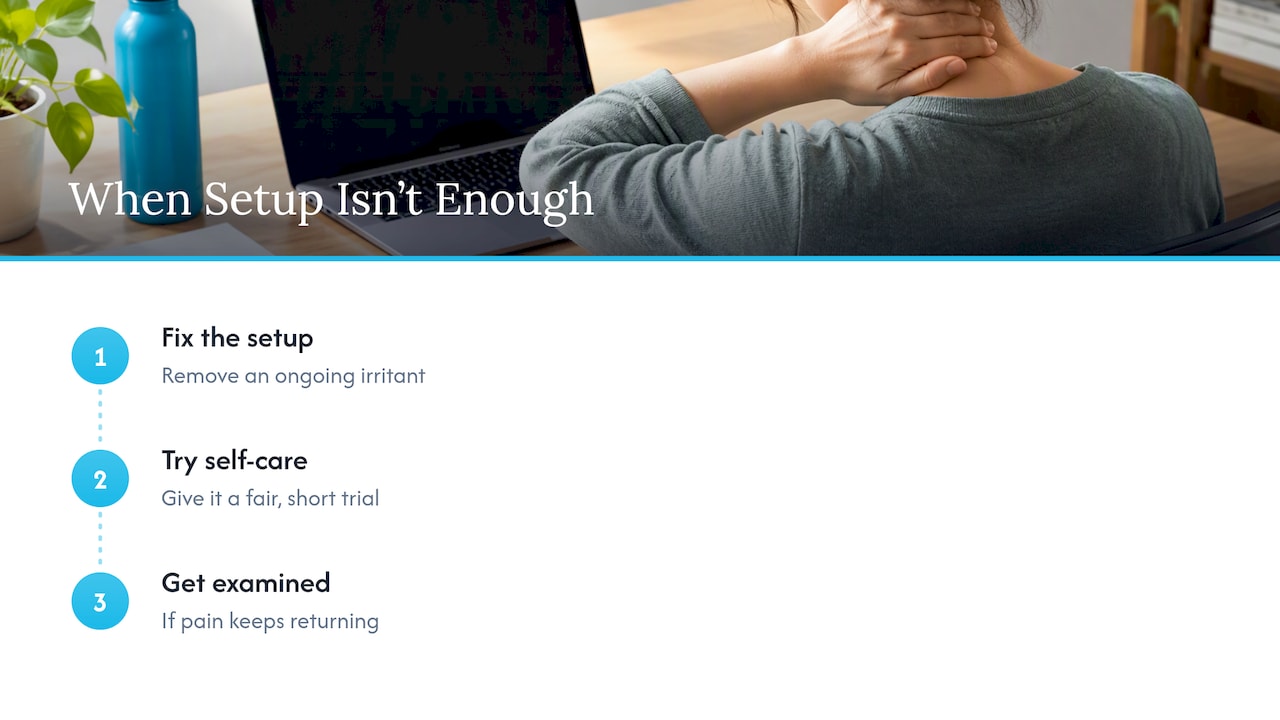
Our advice for desk workers is simple. Fix the setup first, because it costs little and removes an ongoing irritant. Give self-care a fair, short trial. If the pain keeps returning, get it examined by someone who will touch the tissue, test the movement and build a plan around how you actually work, rather than handing you a generic stretch sheet. And treat the warning signs below as the reason to see a medical provider first.
— Chris
When ergonomics is not enough
Some symptoms call for prompt medical attention, and some simply mean it is time for a professional to take a look.
Get medical help right away
MedlinePlus says to seek immediate medical help if neck pain comes with fever, headache and stiffness so severe that you cannot touch your chin to your chest, because that combination may indicate meningitis. Call your doctor or go to urgent care. Do not wait for a desk adjustment to fix it.
Contact a medical provider
Also per MedlinePlus, contact a provider if neck pain does not resolve within a week of self-care, or if it comes with numbness, weakness in the arm or hand, or loss of bladder or bowel control. The last of those is an emergency.
Pain that travels into the arm
Pain, tingling or numbness running down one arm can point to an irritated nerve in the neck. The 2024 primary care review notes that people with cervical radiculopathy can usually be reassured that the pain is self-limiting and typically settles within 4 to 6 weeks. That is a general pattern, not a promise for your case, and it does not replace an exam. Our guide to pinched nerve neck relief explains what gentle movement is reasonable while you wait for an assessment.
Do you need an X-ray?
Probably not at first. The same review says plain radiographs are generally not recommended for acute, atraumatic neck pain of less than six weeks without red flags, because they do not change how it is managed. A good clinician will examine you, ask about your work and symptoms, and decide whether imaging is warranted.
Headaches that start in the neck
If your neck pain arrives with a headache that begins at the base of the skull, the joints and muscles of the upper neck may be involved. See our page on cervicogenic headache treatment for how that is approached.
How we can help in Plano
If you have tuned your desk, given self-care a few weeks, and the stiffness keeps coming back, we can examine your neck, shoulders and upper back and build a plan around your workday. Depending on what we find, that may include Fascial Distortion Model work, dry needling, or focused shockwave, alongside rehabilitation exercises. You can read more about our approach on our neck pain page, or visit the Tx Room to book a visit. We accept insurance and self-pay.
FAQ
Can computer use really cause neck pain?
It can contribute to it and aggravate it, though it is rarely the only cause. Slouching, looking down at a screen and holding one position for hours strain the neck muscles. Research describes the cause as multifactorial, so your desk, your stress, your sleep and your activity outside work all matter.
How high should my monitor be for neck pain?
Center it in front of you with the top of the screen at or below your seated eye level, never above your line of sight. UCLA’s guidance puts the top third of the screen at eye level. If you use a laptop, raise it on a stand and use a separate keyboard and mouse.
How often should I take breaks at my desk?
A 1 to 2 minute stretch every 20 to 30 minutes is a good rhythm, with a longer 5 to 10 minute break or task change each hour. The Cleveland Clinic suggests standing, stretching or walking every 45 to 60 minutes at minimum. Pick the interval you can keep up and stick to it.
What should I do if desk neck pain does not go away?
If it has not eased after a week of self-care, contact a medical provider. Go sooner if you have numbness, arm or hand weakness, or loss of bladder or bowel control. If you are cleared of red flags and the pain keeps returning, hands-on care aimed at the tight or restricted tissue may help, and that is where a chiropractic visit fits.
Sources
- Neck pain: symptoms and causes, Mayo Clinic
- A literature review of neck pain associated with computer use, PMC
- Workplace factors associated with neck pain experienced by computer users, ScienceDirect
- 4 Steps to Set Up Your Workstation, UCLA Ergonomics
- Computer Workstations, OSHA eTools
- Ergonomic Desk and Office Setup, Cleveland Clinic
- Mechanical vs Membrane Keyboards
- Clinical Practice Guideline: Nonspecific Neck Pain, PMC
- Neck pain, MedlinePlus Medical Encyclopedia
- Neck pain or spasms: self care, MedlinePlus
- An approach to neck pain in primary care, PMC